Rebuilding a lost outer case label from the packs inside
A UK beef manufacturer kept losing outer case labels in transit, between dispatch and arrival at their customer. We built an Android app that scans the packs in the case, checks them and prints a correct new label on the spot.
- Customer
- UK beef manufacturer
- Handheld
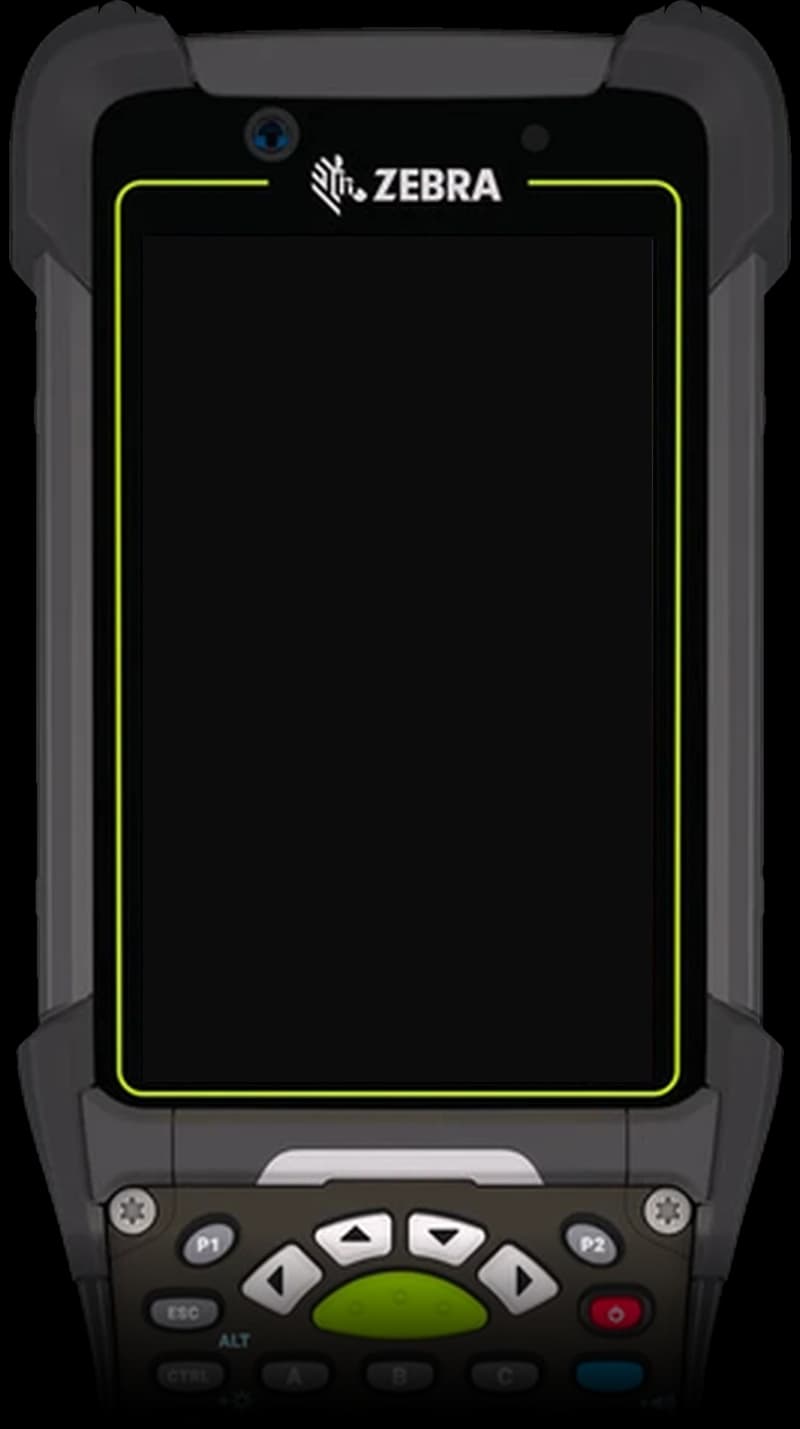
- Zebra MC9400, Android, built-in scanner
- Printer
- Zebra ZD421 label printer over Bluetooth
- Output
- 100 × 150 mm outer case label
- Setup
- Runs on the handheld, no server needed
The problem: good product, no label
Every case of packed beef leaves with an outer case label that tells the customer what is inside: product, batch, dates, pack count and net weight, in barcodes their depot can scan.
When that label is lost or damaged, the case cannot be identified. A customer can reject it even though the meat inside is fine. Rebuilding the label by hand means opening the case, reading each pack, adding up the weights and retyping the details, with a chance of error at every step.
The information needed was already there, printed on every pack in the case. It only needed a tool to read it.
Before
A case turns up without its label
The team had no quick way to prove what was inside, so the case was held back, reworked by hand or rejected.
Scan the packs in the case
The operator scans the 2D code on each pack. The app reads the product, batch, dates and weight from the pack label.
The app checks the contents
Every pack must match the first on product, batch and dates. Only the weight may differ. A pack that does not belong is refused on the spot.
The label is built from the packs
Pack count and net weight are totalled automatically, and the outer case label, barcodes included, is laid out in the format the customer's own customers expect.
After
Print, check, carry on
The label prints on the Bluetooth label printer next to the operator, who confirms it came out correctly before the case moves on.
What the operator sees
Three screens cover the whole job. The screens below are illustrations with example data.
01
Build the case
Packs are listed as they are scanned, with a running pack count and net weight, and a preview of the label.
Outer Case Builder● SCANNER READYScanned (6)Clear✓Beef Ribeye SteakLOT B24-1187 · UBD 21/110.459✓Beef Ribeye SteakLOT B24-1187 · UBD 21/110.458PACKS 6 / 6NET 2.741 KGBEEF RIBEYE STEAK6 PACKSLOT B24-1187USE BY 21/11NET WT 2.741 kgKEEP 0–4°C(01)05012345678900(3102)002741✓ Printer readyPrint outer case label02
Catch the wrong pack
A pack from another product, batch or date is refused, with a plain reason the operator can act on.
Outer Case Builder● SCANNER READYScanned (3)Clear✓Beef Ribeye SteakLOT B24-1187 · UBD 21/110.454✓Beef Ribeye SteakLOT B24-1187 · UBD 21/110.461✓Beef Ribeye SteakLOT B24-1187 · UBD 21/110.457!Beef Sirloin SteakWrong product for this case—PACKS 3 / 6NET 1.372 KGPack not added
Different product. Only the weight may differ between packs in one case.
Scan 3 more packs03
Confirm the print
The case number is only used up once the operator confirms the label printed. Otherwise they retry.
Outer Case Builder● PRINTER READYLabel sent
Finished printing
Check the label came out correctly.
Label printedRetryCASE 000127 · 6 PACKS · 2.741 KG
Small app, careful details
The job sounds simple. What makes it dependable in a cold, busy warehouse is the handling of everything that can go wrong.
Checks before it prints
Mixed products, batches or dates are stopped at the scan, so a wrong label is never printed.
Printer status on screen
The operator sees whether the printer is ready, paused, open or out of labels, and printing is held until it is ready.
Sequential case numbers
Each confirmed label gets the next case number. Failed prints and retries do not use numbers up.
A daily report by email
Every label printed is logged, and an Excel report of the day's prints is emailed automatically each evening.
Product list from a spreadsheet
Supervisors load and update the product list from a CSV file, or edit single products on the handheld.
Nothing else to install
Products, settings and print history live on the handheld. There is no server, database or PC software to look after.
The hardware
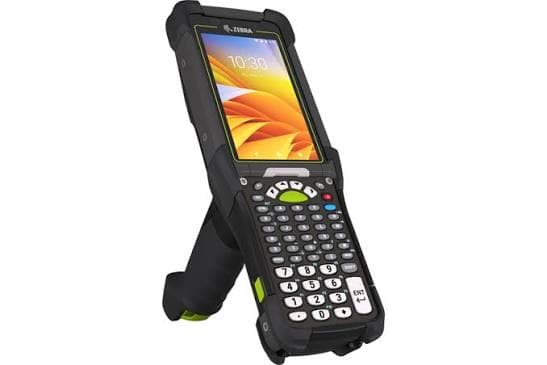
The app runs on a Zebra MC9400, a rugged Android handheld with a built-in scanner and a physical keypad. Labels print on a Zebra ZD421 desktop label printer, connected over Bluetooth, so the printer can sit wherever the cases are.
The same app also drives standard Bluetooth thermal label printers that speak ZPL or TSPL, so it is not tied to one printer model.
- Zebra MC9400
- Zebra ZD421
- Bluetooth
- ZPL
- TSPL
What it changes when a case arrives unlabelled
- A case with a missing label can be relabelled where it stands, without opening a spreadsheet or going back to the office.
- No hand-written labels, and no totalling pack weights on a calculator.
- A record of every outer case label printed, by case number, product and batch.
- One focused app on one handheld, instead of a change to the whole labelling system.
Have a problem like this one?
If a step on your floor depends on paper, memory or a workaround, tell us about it. We will say plainly whether a small app can fix it.
See what else we build as custom apps